Who this page is for
If you’re a VP of Marketing, Marketing Director, or creative operations leader evaluating project management tools — and you’re wondering whether Workfront is the right fit for a content-producing team — this page is for you.
Workfront is a capable enterprise platform, but it was built for broad work management across departments. Lytho was built specifically for marketing and creative teams who need to produce content, manage approvals, and govern their brand assets — without stitching together multiple tools or waiting months for IT to stand things up.
Below, you’ll find a side-by-side feature comparison, a breakdown of key differences, and honest context on where each tool wins.
On this page
- How Lytho and Workfront compare
- One platform. Not a stack to configure.
- Up and running in weeks, not months.
- Built for how marketing teams work.
- Review and approval that connects to your assets.
- Brand governance built in — not added on.
- Where Workfront wins.
- Frequently asked questions
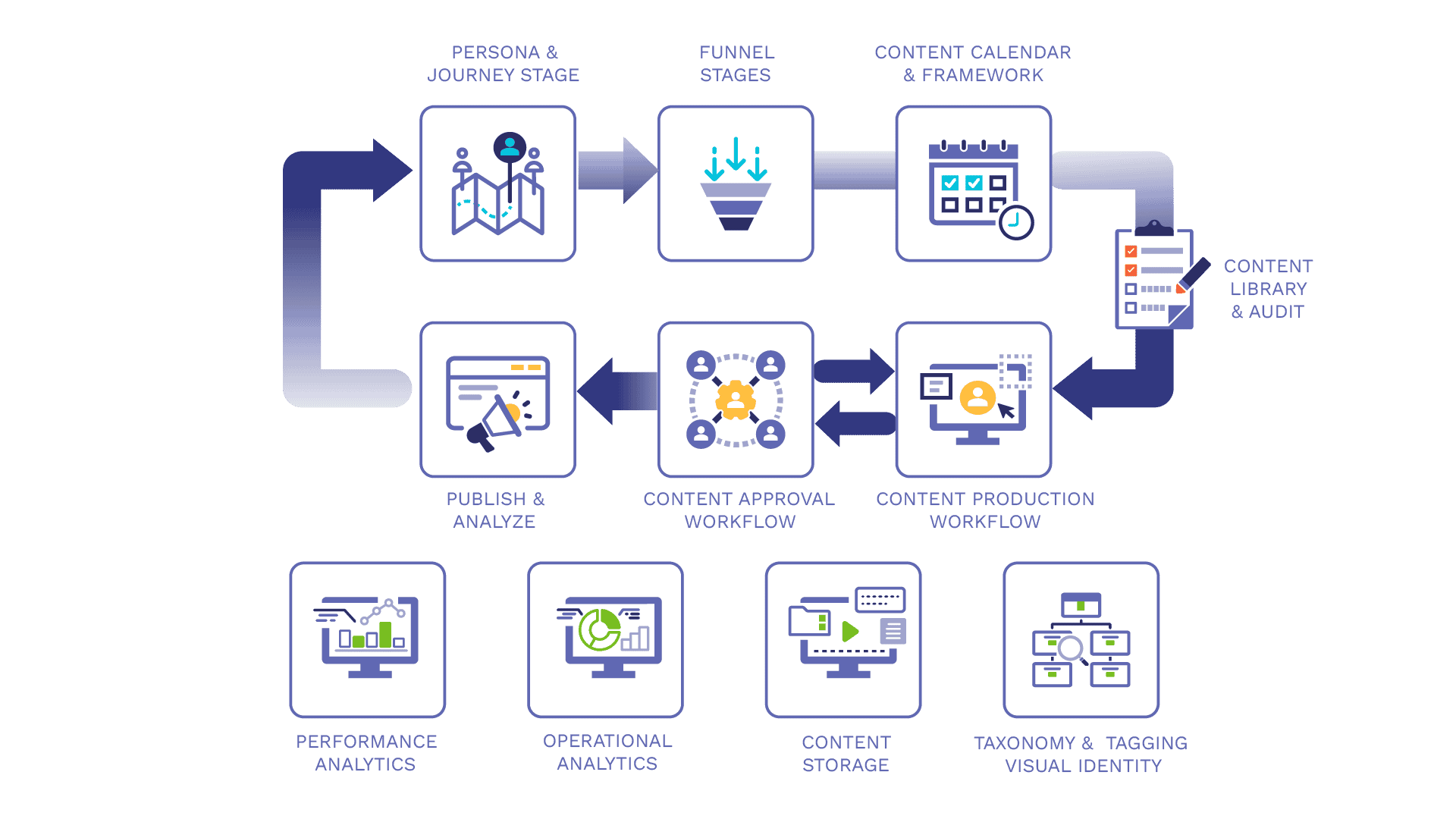
Marketing Content Operations Needs More Than Project Management.
Adobe Workfront is a powerful enterprise work management platform. But if your team is responsible for producing content, governing your brand, and getting campaigns out the door on time — Lytho was built for that job.
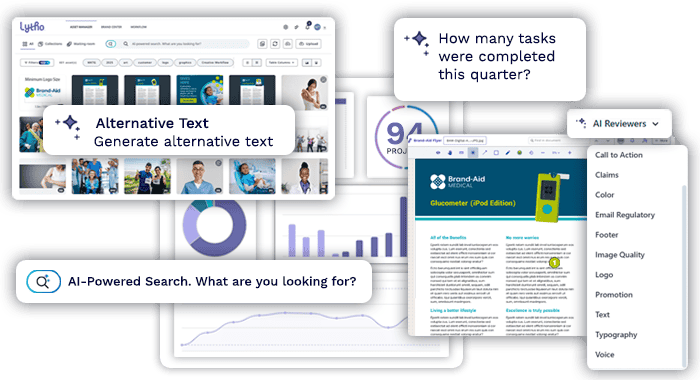
One platform. Marketing and content work management, review and approval, and your DAM — all connected, all included, live in weeks, not months.
Two different tools. Two different jobs.
Lytho is built specifically for marketing and creative teams to produce content, accelerate review and approval, and store assets in a digital asset management (DAM) system for sharing and distribution — all in a single platform, with most teams up and running in weeks, not months.
For a VP of Marketing or Marketing Director responsible for campaign output, brand consistency, and keeping a content and creative team productive, the distinction matters. Lytho removes the gap between managing creative work and governing it.
How Lytho and Workfront compare
| Features | Lytho | Workfront |
|---|---|---|
| Built for marketing & content operations | ✅ Purpose-built for marketing teams and their creative operations | ⚠️ Built for enterprise work management broadly — marketing is one of many use cases |
| Work management for marketing and creative teams | ✅ Intake, briefs, task, and work management designed around how campaign and creative work moves | ✅ General project management; requires significant configuration for creative use cases |
| Built-in review & approval | ✅ Native — no additional product required | ⚠️ Available, but full functionality requires Frame.io for Business (separate product) |
| Digital asset management (DAM) | ✅ Included in the platform | ⚠️ Basic Workfront DAM included; enterprise DAM requires Adobe Experience Manager (separate product and implementation) |
| Brand center / brand portal | ✅ Included | ⚠️ Requires AEM Assets Brand Portal (separate Adobe product) |
| Unified platform | ✅ Work management + review/approval + DAM in one login, one system | ⚠️ Full capability spans Workfront + Frame.io + AEM Assets — each requires separate licensing |
| Implementation timeline | ✅ Weeks, not months — implementation included | ⚠️ Typically months; often requires paid professional services engagement |
| IT involvement required | ✅ Minimal — teams can get up and running without IT | ⚠️ Enterprise deployment often requires IT and/or Adobe Professional Services |
| Content governance built in | ✅ Audit trails, approval documentation, and brand controls built into core workflows | ⚠️ Available through configuration and additional Adobe products |
| Designed for compliance-heavy industries | ✅ Approval documentation and audit trails native to platform | ⚠️ Requires configuration; full compliance capability spans multiple products |
| Enterprise resource & capacity planning | ✅ Resource management, Gantt charts, capacity planning across teams, AI reporting and insights | ✅ Resource management, Gantt charts, capacity planning across teams |
| Deep Adobe Creative Cloud integration | ⚠️ Integrations available | ✅ Native Creative Cloud connection — strongest for Adobe-first organizations |
⚠️ = available with limitations, additional products, or configuration required
Ready to learn more? Book a demo.
One platform. Not a stack to configure.
Full Workfront capability often means assembling an entire product stack — each with its own license, integration work, and implementation timeline:
- Workfront for project management
- Frame.io for Business for review and approval
- Adobe Experience Manager Assets for enterprise DAM
- Creative Cloud for design
Lytho brings all of this together in one platform. Briefs, requests, feedback, approvals, and final assets are connected by design — not patched together. And implementation is included, not an add-on.
Up and running in weeks, not months.
Enterprise platforms like Workfront are powerful — and complex. Getting a deployment to where a marketing team can actually use it often takes months of configuration and change management, and frequently a paid professional services engagement — a significant investment before your team produces a single asset.
Lytho is built to get marketing teams productive fast:
- Implementation is included — not an add-on or paid services engagement
- Most teams are live within weeks, not months
- Faster time to value, lower year-one cost, and a tool your team will actually use
Built for how marketing teams work.
Workfront is industry- and discipline-agnostic — it can be tailored for marketing campaigns, IT projects, or enterprise-wide initiatives. That flexibility is useful in large organizations where Workfront is deployed across multiple departments.
For a marketing team, Workfront’s flexibility comes with real overhead:
- Templates and intake forms need to be configured for creative use cases from scratch
- Review and approval requires a separate Frame.io connection
- Asset management at scale requires adding AEM
Lytho starts with the marketing team as the primary user — intake forms, briefs, review workflows, and brand governance are built in.
Review and approval that connects to your assets.
Workfront includes review and approval functionality, and its Frame.io integration adds strong video review capability. For enterprise organizations already in the Adobe ecosystem, it works.
Lytho’s review and approval is built specifically for creative workflows: consolidating feedback from multiple reviewers, keeping version history clear, and connecting approvals directly to the assets living in your DAM. When something is approved, it doesn’t need to be manually moved or re-uploaded — it’s already in your brand-governed library, correctly tagged and ready to use.
For a marketing team managing multiple campaigns, asset versions, and reviewers across agencies and internal stakeholders, that connection is the difference between a process that works and one that still relies on email.
Brand governance built in — not added on.
Brand compliance and content governance are built into how Lytho works. Every asset that goes through your workflow carries an approval record. Your brand center gives internal teams and external partners the right assets with the right permissions — without anyone manually distributing the latest version. Lytho’s AI Reviewers are live and work throughout the content creation process, not just at the end.
Workfront has added governance capabilities — including an AI Reviewer for brand compliance (in beta as of mid-2026) — but these features are layered onto a platform built around project tracking. In Lytho, governance is the foundation.
This distinction matters most for marketing leaders in compliance-heavy industries:
- Healthcare — where every asset needs a documented approval trail
- Financial services — where regulatory review is non-negotiable
- Higher education — where brand consistency and compliance intersect
In Lytho, governance isn’t a feature you configure. It’s the foundation.
Where Workfront wins.
Workfront is genuinely stronger for organizations that need enterprise-scale project and portfolio management: complex resource planning, cross-functional capacity tracking, Gantt-style timeline management, and deep integration across the Adobe Experience Cloud. If your organization is deploying a single work management platform across IT, finance, and marketing — and you’re already committed to the Adobe stack — Workfront’s breadth is hard to match.
If you’re a marketing or creative operations team that needs to produce and govern a high volume of content efficiently, get up and running quickly, and keep your brand consistent across campaigns and stakeholders — Lytho is built for that.
Frequently asked questions
Is Adobe Workfront good for marketing teams?
What is the best Workfront alternative for marketing teams?
It depends on what you actually need. If your primary requirement is creative workflow, review and approval, and asset management in one connected system — without a months-long enterprise implementation — Lytho is worth evaluating. It’s built specifically for marketing and creative operations and includes implementation as part of the platform.
How long does Workfront take to implement?
Workfront implementations vary, but enterprise deployments typically take several months, particularly when connecting Workfront to Frame.io and Adobe Experience Manager for full creative ops capability. Many organizations also require a paid professional services engagement to configure the platform for their workflows. Lytho implementations are typically completed in weeks, with implementation support included.
Does Lytho replace Workfront?
For marketing and creative teams using Workfront primarily for creative workflow, review/approval, and asset management, Lytho covers that ground in a more purpose-built, faster-to-deploy way. For organizations running Workfront across IT, finance, and operations at enterprise scale — particularly within the Adobe ecosystem — Lytho addresses the creative ops and brand governance layer specifically.
Why do marketing teams choose Lytho over Workfront?
Marketing teams choose Lytho when they want creative workflow, review and approval, and digital asset management connected in one platform — rather than assembling Workfront, Frame.io, and Adobe Experience Manager and connecting them through a professional services engagement. The reasons cited most often are faster time to value (live in weeks, not months), lower total cost in year one, brand governance built into the workflow, and a platform marketing can own and administer without ongoing IT involvement. Teams that need enterprise-scale project and portfolio management across many departments may still prefer Workfront’s breadth — but for producing and governing marketing content, Lytho is purpose-built for the job.
Who manages Lytho — marketing or IT?
Lytho is owned and managed by marketing. It’s built for marketing directors and creative operations leads to administer without ongoing IT involvement. That’s a meaningful difference from enterprise platforms that require IT resources to configure, maintain, and update.
Between using Lytho DAM and Lytho Workflow, it really has set us up to have an ecosystem of brand compliance.


Adobe, Workfront, Frame.io, Adobe Experience Manager, and Creative Cloud are trademarks of Adobe Inc. Lytho is not affiliated with or endorsed by Adobe. Comparisons reflect publicly available information as of the publication date and are subject to change.